


|
Name |
Fing |
|---|---|
|
Google Play Link |
GET IT ON
Google Play
|
|
Category |
Tools |
|
Developer |
Fing Limited |
| Last version | 12.13.5 |
|
Updated |
|
|
Compatible with |
Android 8.0+ |
Introduction to Fing APK
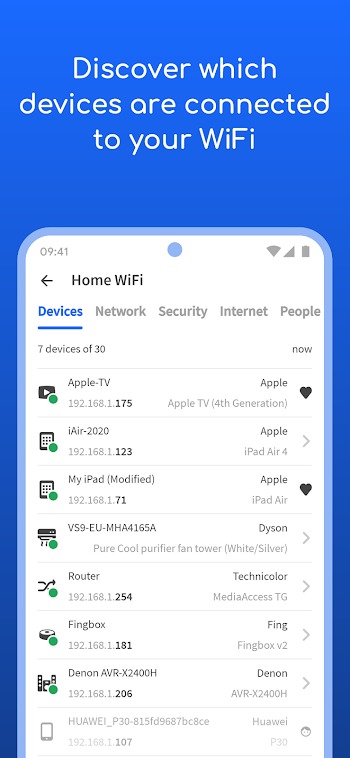
Home internet users and IT enthusiasts often rely on mobile network scanning tools to maintain strong Wi-Fi stability and check for unauthorized device connections. This Android application acts as a digital network scanner that reveals every phone, smart TV, laptop, and IoT gadget connected to your local Wi-Fi router. You simply open the app, tap a button, and view a complete list of active network hardware within seconds.
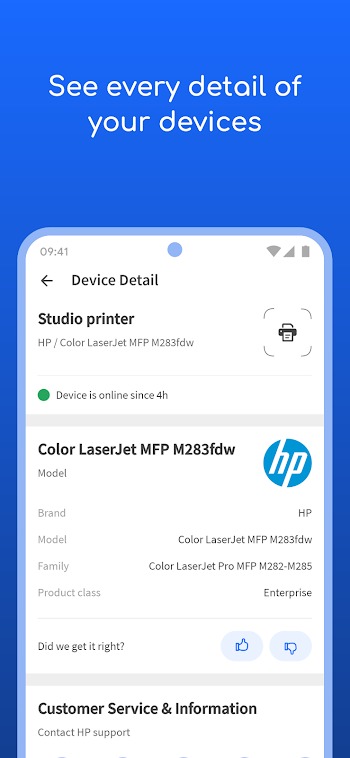
The primary function of the tool involves scanning local IP addresses and mapping out connected devices with precise technical details. It identifies MAC addresses, hardware manufacturers, IP configurations, and device types automatically. Users can also run speed tests, ping specific addresses, conduct traceroutes, and perform open port scans to evaluate overall network health and latency.
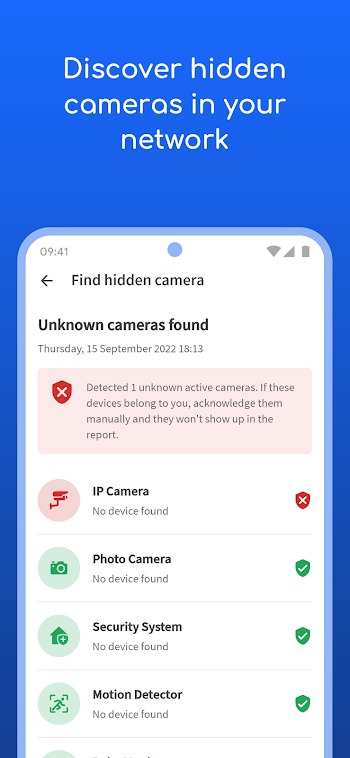
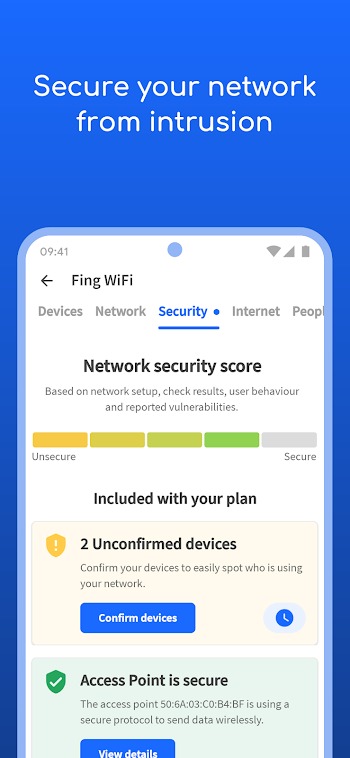
Key features include automated Wi-Fi security audits, hidden camera detection tools, device recognition databases, and internet outage reporting. The clean interface displays technical data in clean lists, making raw IP and MAC address information easy to parse. Practical daily benefits include spotting neighborhood Wi-Fi freeloaders, troubleshooting buffering issues, and testing actual download speeds provided by your internet service provider.
A major advantage lies in its accuracy and speed when detecting connected hardware across complex home networks. The application identifies device models far better than standard router admin panels, saving you from guessing which gadget belongs to which IP address. Having instant access to ping tools and port checks on a phone eliminates the need to boot up a laptop for basic troubleshooting.
On the downside, several advanced tools like automated perimeter monitoring, continuous threat alerts, and background security scans require a paid subscription. Free users encounter feature locks when trying to access deeper security analysis tools or extended network logging history. The initial device list can also look overwhelming if you have dozens of smart home accessories connected simultaneously.
This tool works best for homeowners monitoring household Wi-Fi safety, remote workers fixing unstable video calls, and tech hobbyists managing smart home networks. It comes in handy when setting up a new router, diagnosing sudden connection slowdowns, or checking hotel Wi-Fi safety while traveling.
FAQs Fing
What is Fing APK?
+
Fing APK is an Android network utility app designed to scan local Wi-Fi networks, list all connected devices, run speed tests, and troubleshoot connectivity issues.
Can Fing APK help find unauthorized users on my Wi-Fi?
+
Yes, the app scans your local network and displays every connected phone, computer, or smart device so you can identify unknown connections using their MAC and IP details.
Is Fing APK safe to use on private networks?
+
Yes, the app operates as a standard network diagnostic tool that reads local IP configurations and performs routine security checks without modifying your router settings.
Do I need root access to use Fing APK on my Android phone?
+
No, the app works on standard Android operating systems without requiring root access or custom software modifications.
Why are some features locked in Fing APK?
+
Basic network scanning and speed testing remain available for free, while advanced real-time security alerts and automated network monitoring require a paid premium subscription.
Discover More Interesting Apps
-
 Mod
Mod
PigeonCast
v3.7.0
64.62 Mb
Updated -
Mod
Bengali Calendar (India)
v4.0.04c
28.89 Mb
Updated -
PDF Editor
v6.4.4
79.64 Mb
Updated -
Mod
InSave
v2.0.9
32.25 Mb
Updated -
Floatify
v26.10.23
33 MB
Updated -
Mod
LTE Discovery
v7.6.30
26.16 Mb
Updated -
Flezen
v1.8.6
48.48 Mb
Updated -
AdGuard VPN
v2.17.0
51.00 Mb
Updated -
Super Proxy
v3.2.3
77.00 Mb
Updated -
GameCC
v1.7.6
62.35 Mb
Updated










Share Your Thoughts